
Countertop POS terminals built for busy restaurant service
Give your team a reliable countertop POS workstation for taking orders, managing tables and bills, sending orders to the kitchen and taking payments. Built for busy restaurant service, Maitre’D works with a range of certified terminals and devices, giving you the flexibility to choose a setup that suits your restaurant without being tied to a single proprietary device. 

Powering 70,000+ restaurant points of sale








Why Maitre’D countertop POS
Built for the demands of restaurant service
Reliable countertop POS stations designed for busy service, restaurant-specific workflows and the day-to-day demands of your front-of-house team.
Built for busy service
A responsive workstation for fast order entry, modifiers, table and bill management, and payments, delivering dependable performance through busy shifts, spillages, grease and everyday wear.
A setup for every service point
Choose the screen size, peripherals and functions your team needs for a counter, bar, host station or service station. Expand your setup as you grow while reusing compatible hardware.
Works during internet outages
Local capabilities and offline functionality help your team continue taking orders when your internet connection goes down.
Support beyond installation
Get expert support from local technicians for installation, training, troubleshooting and hardware repairs or replacements throughout the life of your system.
Built for busy service
A responsive workstation for fast order entry, modifiers, table and bill management, and payments, delivering dependable performance through busy shifts, spillages, grease and everyday wear.
A setup for every service point
Choose the screen size, peripherals and functions your team needs for a counter, bar, host station or service station. Expand your setup as you grow while reusing compatible hardware.
Works during internet outages
Local capabilities and offline functionality help your team continue taking orders when your internet connection goes down.
Support beyond installation
Get expert support from local technicians for installation, training, troubleshooting and hardware repairs or replacements throughout the life of your system.
More than a till
What your team can do from one countertop POS
Your countertop POS is the workstation at the heart of your restaurant: where orders are taken, service is coordinated and payments are completed. From the host station to the service station, bar or till, Maitre’D gives each team member the screens and tools they need for their role, at every workstation.
Manage your service from start to finish
Handle every order type from one station
Manage eat-in, counter, online, takeaway, delivery, drive-through and kerbside collection orders from one workstation, with your full menu, modifiers and pricing. Keep taking orders even during internet outages.
Send orders to the right kitchen or bar station
Route each item to the correct kitchen display system (KDS) screen, kitchen printer or bar printer. Hold courses and send them for preparation at the right time to coordinate when dishes are prepared and served.
Manage tables, orders and bills
View table status, add or remove items, open and hold tabs, split or combine bills, and transfer orders between seats, tables and staff.
Take payments and manage cash
Take card, cash and gift card payments. Split a bill across payment methods and add tips, all on the same bill. Track cash drawer activity and balance the till at the end of a shift.

Customise your setup and connect your operation
Configure each station for its role
Give cashiers, waiting staff, bartenders and managers the screens and access permissions they need, with manager approval for cancellations, complimentary items and discounts.
Connect the hardware you need
Choose a certified touchscreen workstation and connect compatible payment terminals, customer-facing displays, receipt printers, cash drawers, barcode scanners and scales.
Expand your setup as you grow
Add handheld POS devices, kitchen display screens, self-ordering kiosks or additional workstations to support your operation as it evolves.
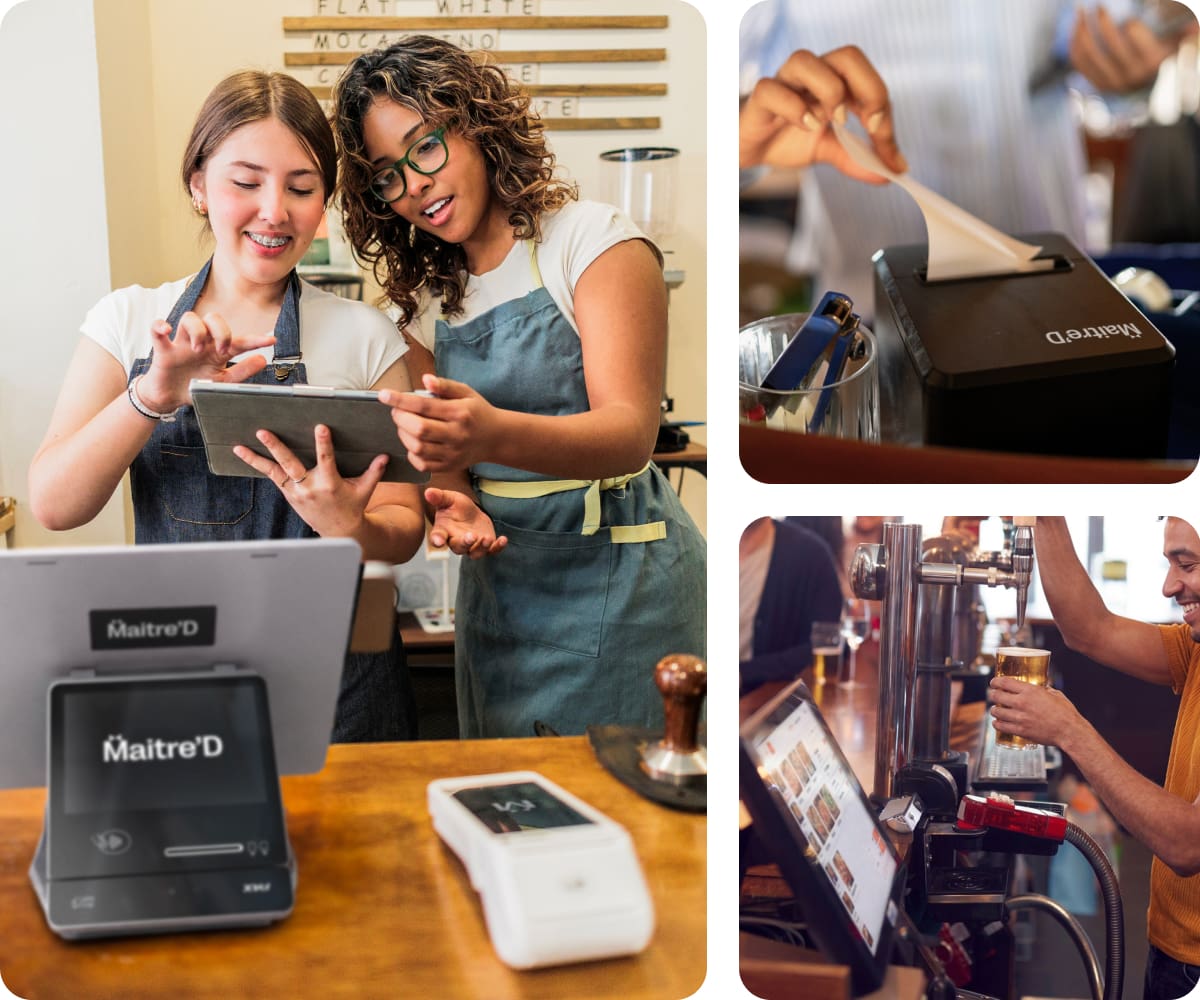
Choose the Maitre’D countertop POS terminal that suits your restaurant
Designed for hardware flexibility, Maitre’D supports a range of certified POS terminals, so you can build a setup that suits your operation and make the most of your existing hardware investments. Choose the screen size, footprint and configuration that work for each service point, from a single counter to multiple workstations at the host station, service stations, bar and till.

PAX Elys Workstation L1400
A sleek POS workstation with a 14″ Full HD touchscreen and durable aluminum body. The built-in fingerprint reader gives staff quick, secure login, and the included hub connects your network, cash drawer, printers and other peripherals. A mounting plate secures it to the counter. Pair it with the Elys Tablet A3700 as a customer-facing display and payment terminal for a complete POS setup.
Best for counter service and quick service.

Touch Dynamic POS workstations
Choose from four POS workstation models with different screen sizes and configurations to suit your restaurant’s needs: the Razor, with a slim 15.6-inch display and swivel base; the 15.6-inch Nexus; the Pulse Ultra, designed to resist water and dust; and the Fusion, an 11.6-inch workstation that detaches into a tablet. Add a customer display, card reader and other peripherals to configure each station for your counter, bar or service area. Ideal for restaurants seeking flexibility in screen size, peripherals and fixed or mobile setups.

PAX Elys Workstation L1400
A sleek POS workstation with a 14″ Full HD touchscreen and durable aluminum body. The built-in fingerprint reader gives staff quick, secure login, and the included hub connects your network, cash drawer, printers and other peripherals. A mounting plate secures it to the counter. Pair it with the Elys Tablet A3700 as a customer-facing display and payment terminal for a complete POS setup.
Best for counter service and quick service.

Touch Dynamic POS workstations
Choose from four POS workstation models with different screen sizes and configurations to suit your restaurant’s needs: the Razor, with a slim 15.6-inch display and swivel base; the 15.6-inch Nexus; the Pulse Ultra, designed to resist water and dust; and the Fusion, an 11.6-inch workstation that detaches into a tablet. Add a customer display, card reader and other peripherals to configure each station for your counter, bar or service area. Ideal for restaurants seeking flexibility in screen size, peripherals and fixed or mobile setups.
Made for the way you serve
One countertop POS for different service styles
From fast-paced counter service to full-service dining, Maitre’D countertop POS gives your team a dedicated workstation configured around the way you take orders, manage service and process payments.

Handle high volumes of counter, takeaway, delivery and drive-through orders from one dedicated counter workstation, with fast order entry, modifiers, meal deals, direct kitchen routing and payment processing.

Keep counter service moving with fast order entry, item customisation, direct routing to the kitchen or preparation area and quick payment processing, all from a compact counter workstation.

Open and manage tabs, take orders, send them to the bar or kitchen and take payments from a dedicated workstation behind the bar or at other service points.

Manage orders and payments across restaurants, bars, room service and other food and beverage outlets from dedicated POS workstations configured for each operation.

Manage tables, take orders, handle courses and modifiers, send orders to the kitchen and take payments from a workstation at the host station, service station or bar.

Extend your countertop setup with the right devices
Build on your countertop POS station with the devices and peripherals you need, from mobile POS and payment terminals to customer-facing displays, self-ordering kiosks, kitchen display systems (KDS), alcohol control systems, cocktail towers, printers and accessories.
Find the right countertop POS station for your restaurant.
Tell us about your restaurant and how your team works, and we’ll help you choose a countertop POS setup that suits your operations and needs.
Tell us about your operations so we can tailor your demo
Are you an existing client looking for support? Contact our support team.
FAQs
What is a countertop POS system?
A countertop POS system is a fixed workstation that helps your team take orders, send them to the kitchen, manage transactions and take payments from a designated location in your restaurant. A Maitre’D countertop POS can be configured with a POS workstation, customer-facing display, payment terminal, cash drawer and other peripherals to suit your restaurant’s workflow.
What should I consider when choosing a countertop POS?
When choosing a Maitre’D countertop POS, consider your restaurant’s service style, available counter space, screen size, workstation configuration, processor and operating system (such as Android or Windows), payment setup, connectivity and required peripherals. Also consider how many POS stations you need and whether you plan to add mobile POS devices as your restaurant grows. Not sure which setup is right for your restaurant? Speak to our team for help choosing a suitable configuration.
What payment devices can I use with a Maitre’D countertop POS?
Maitre’D works with a range of compatible payment devices, including countertop terminals, mobile terminals and PIN pads. Depending on your setup, you can pair a customer-facing payment device such as the PAX Elys Tablet A3700 with your Maitre’D POS workstation.
Can I connect a cash drawer, receipt printer, scanner and other peripherals?
Yes. Maitre’D countertop POS setups can support a range of restaurant peripherals, including cash drawers, receipt printers, barcode scanners, payment terminals, customer displays and other compatible devices. Available connections and peripherals depend on the workstation you choose.
Can I add a customer-facing display to my POS setup?
Yes. Maitre’D can be configured with a customer-facing display to show customers their order information and provide a more interactive payment experience. For example, the PAX Elys Tablet A3700 can be paired with the PAX Elys Workstation L1400 to serve as a customer-facing display and payment device.
What is the difference between a countertop POS and a mobile POS?
A Maitre’D countertop POS is a fixed workstation designed for a designated location such as a counter, bar, host station or service station. It is well suited to counter-service and quick-service restaurants. A Maitre’D mobile POS is a portable device that lets staff take orders and payments wherever they serve customers, making it ideal for tableside ordering in full-service restaurants or reducing queues in quick-service restaurants. Many restaurants use both as part of their Maitre’D setup.
Does Maitre’D countertop POS work when the internet goes down?
Yes. Maitre’D countertop POS includes local capabilities and offline functionality that help your team keep taking orders if your internet connection goes down, so service can continue during connectivity interruptions.
How much does a Maitre’D countertop POS terminal cost?
Pricing depends on the model, accessories, and configuration you choose. Installation fees may be charged separately. Upfront purchase and financing options with monthly payments may be available, depending on eligibility and region. Contact our team for a quote based on your restaurant’s needs.
